Sessions
A session is one agent process (claude or codex) and its transcript; see Agents.
Starting and resuming
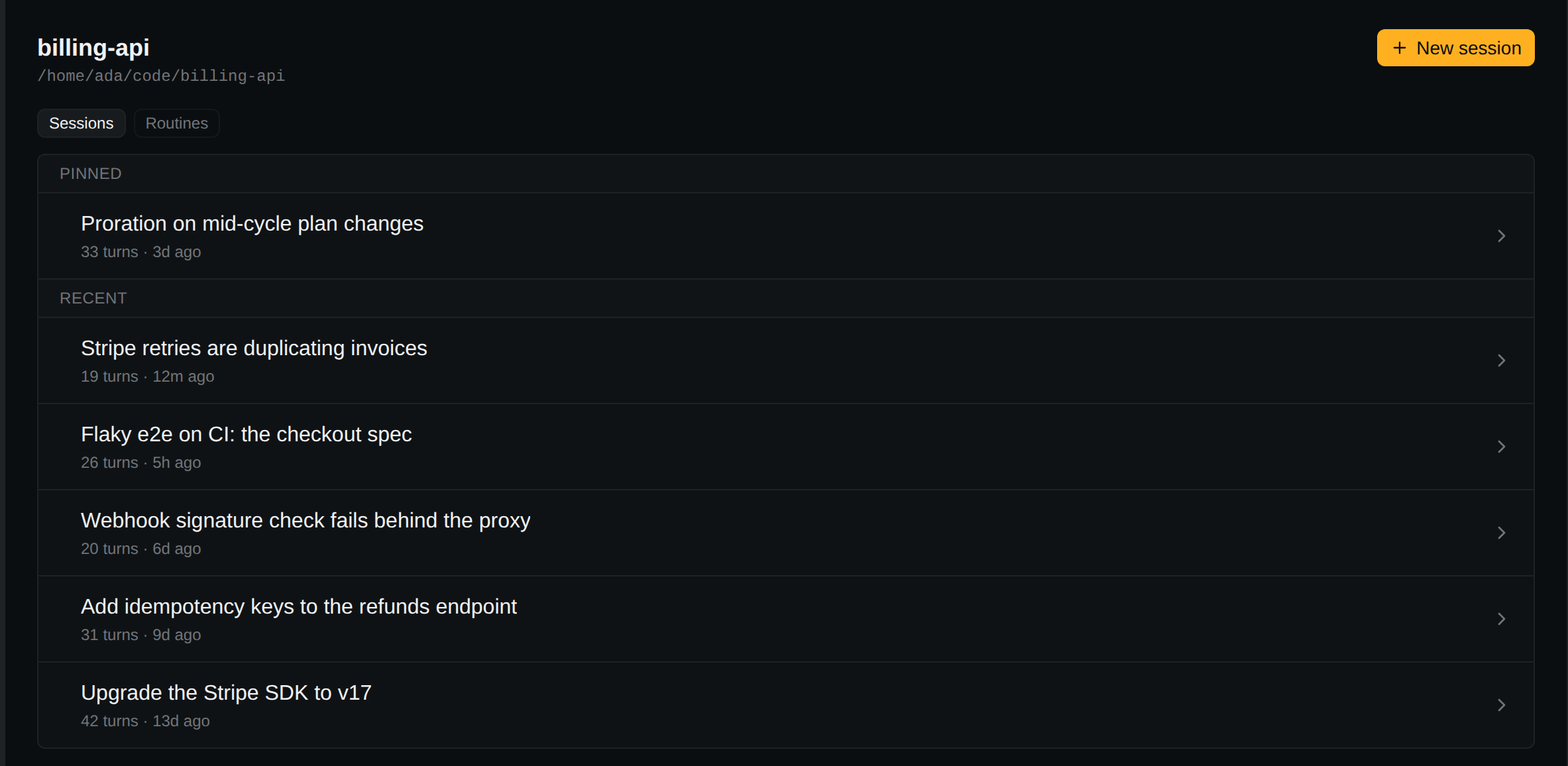
- New session: the
+on a project row, New session on the project page or in the project's right-click menu, orMod+N. With both agents installed, the chevron beside+and New session with ▸ pick one. - Resume: click any session.
- Close:
×in the session header (Close session) kills the process and closes the tab. - Restart: when the process exits on its own, its output stays and Restart replaces
×. Clicking a stopped tab also restarts it.
Status
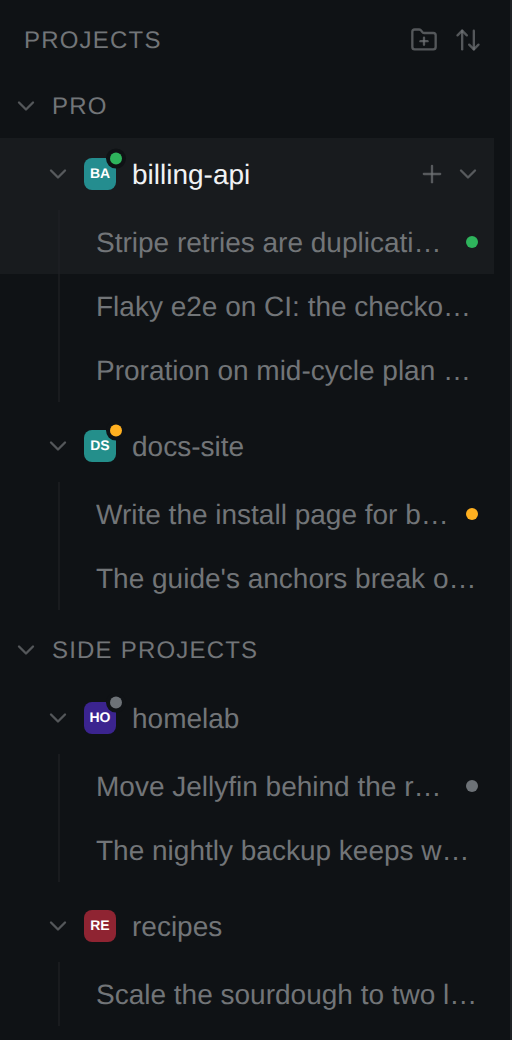
Shown on the session, its tab and its project's avatar.
| Dot | Meaning |
|---|---|
| Green | Working. |
| Amber | Waiting for you: a permission prompt, a question, a turn handed back. |
| Blue | Working with no tab open: a routine running in the background. |
| Grey | Stopped. |
| Hollow grey | Live, but the agent has not said what it is doing yet: a Codex session in its first second. |
Tabs
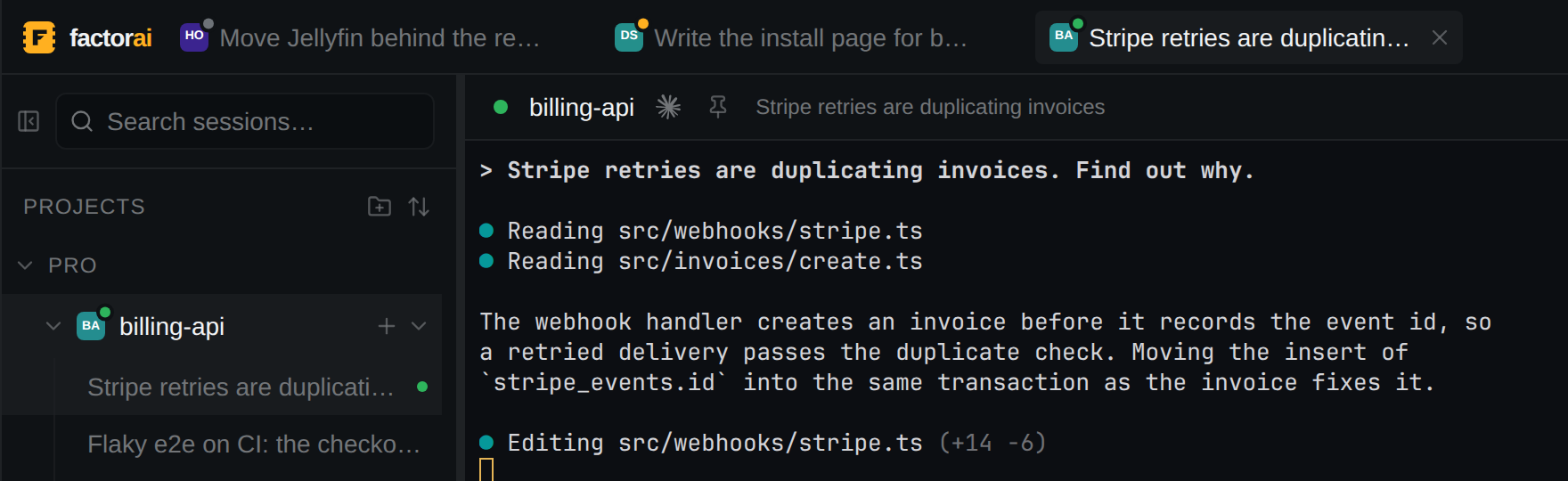
- Each open session is a tab; it stays after the process exits. Drag to reorder.
- Tabs return, stopped, on relaunch (off: Settings → Sessions → Restore open tabs on launch).
Mod+Wcloses the focused tab,Mod+PageDown/Mod+PageUpstep through tabs,Mod+1…Mod+8jump to a tab by position andMod+9to the last, middle-click closes a tab.- Closing a working session asks first. Settings → Confirmations: Ask before closing a running session and Ask when a middle-click closes a tab.
Pinning
Pin session in the right-click menu, or the pin in the session header. Pinned sessions lead their project's list.
Deleting
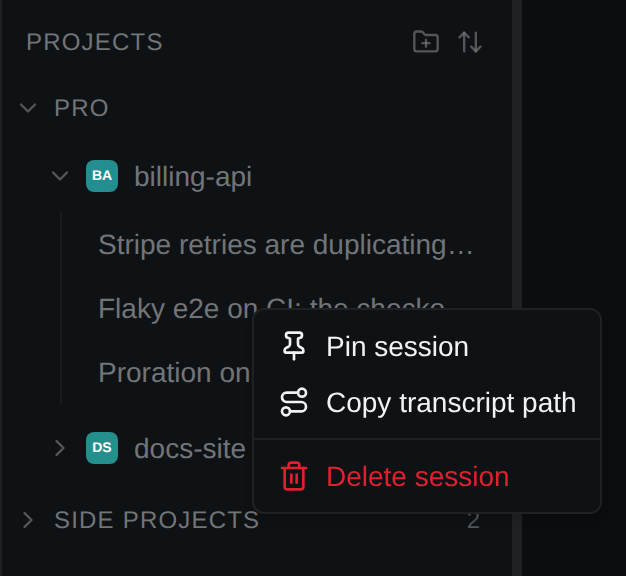
The right-click menu also has Copy transcript path and Delete session. Deleting asks, stops the session, and moves the transcript to the system trash, where you can restore it.
Search
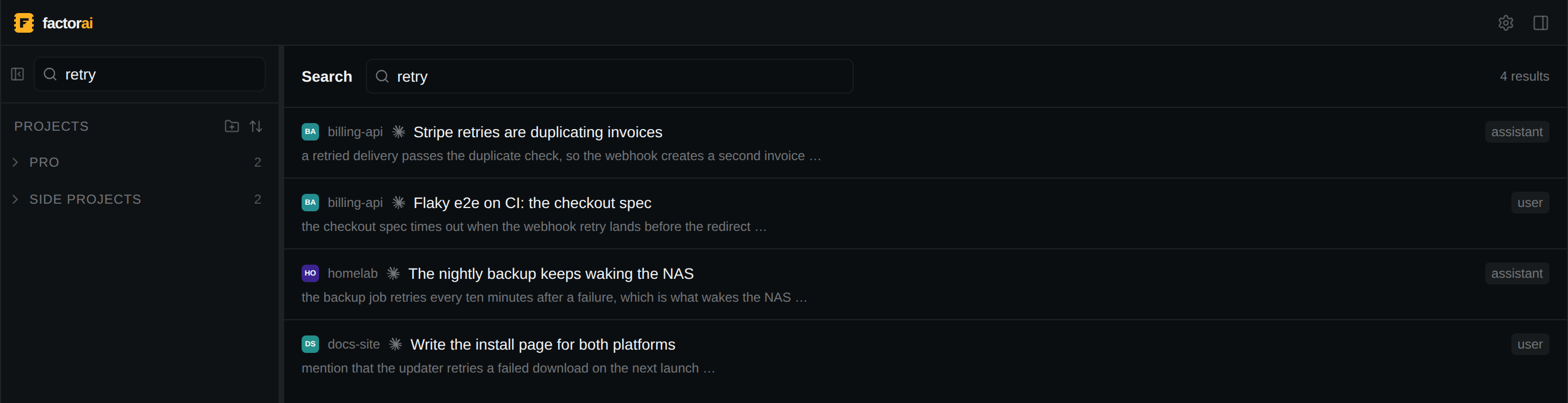
Mod+K focuses the sidebar search. It full-text searches every added project; every word must
match. Click a result to open the session.