Profiles
A profile is a name, an agent, and a configuration directory, set as CLAUDE_CONFIG_DIR for
claude or CODEX_HOME for codex. Login, settings and transcripts live under it.
Setting them up
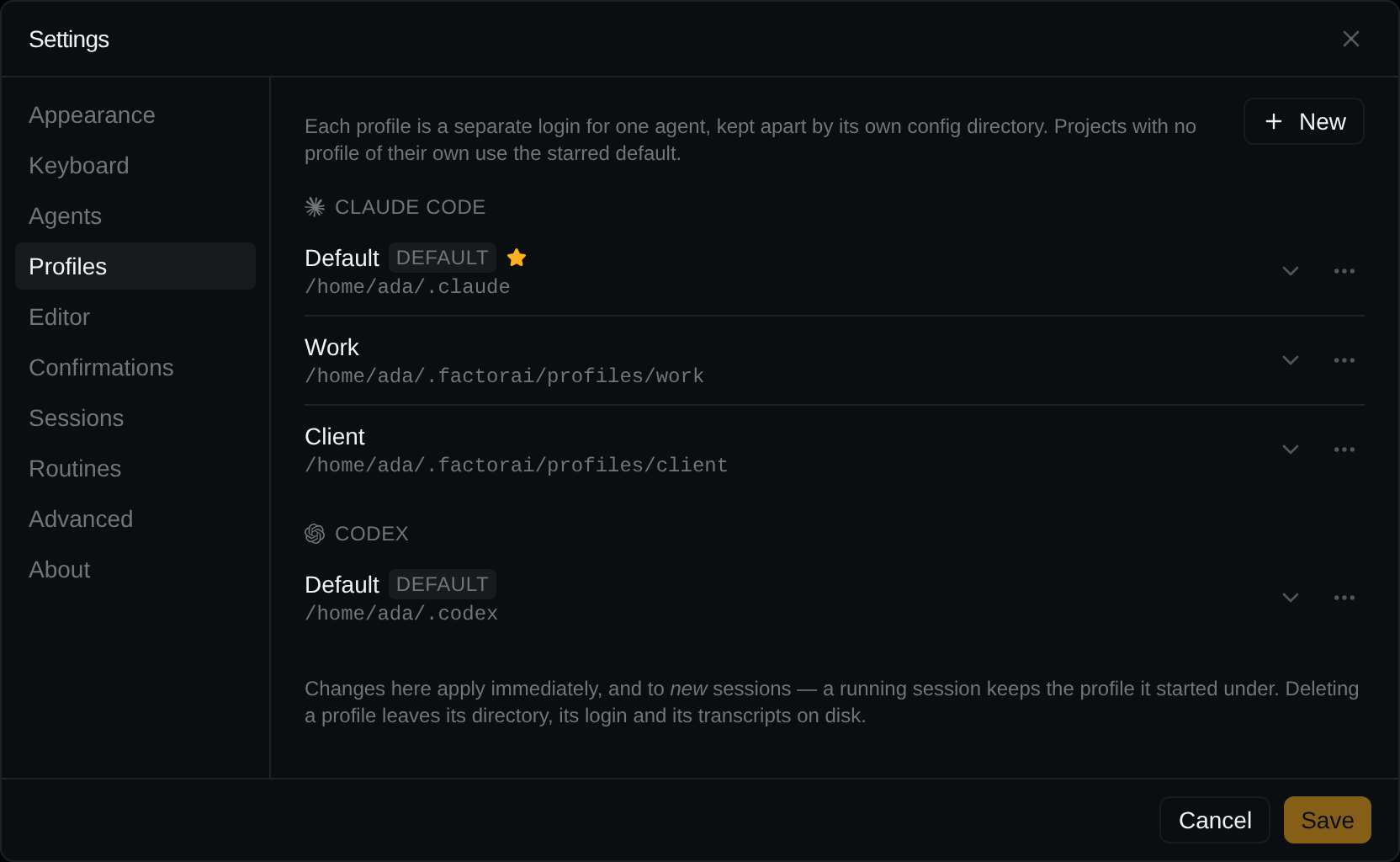
Settings → Profiles saves as you click; there is no Save.
- New: a name, a directory (suggested from the name), and the agent if both are installed. The agent cannot be changed later.
- Each agent has one Default profile (Make default in the row's menu). With both agents, one default is starred — Use for new projects — for projects with no profile.
- Rename and Delete are in the row's menu. The default cannot be deleted. Deleting leaves the directory, login and transcripts on disk.
- Log each directory in once:
CLAUDE_CONFIG_DIR=<dir> claude loginorCODEX_HOME=<dir> codex login.
Which profile a session gets
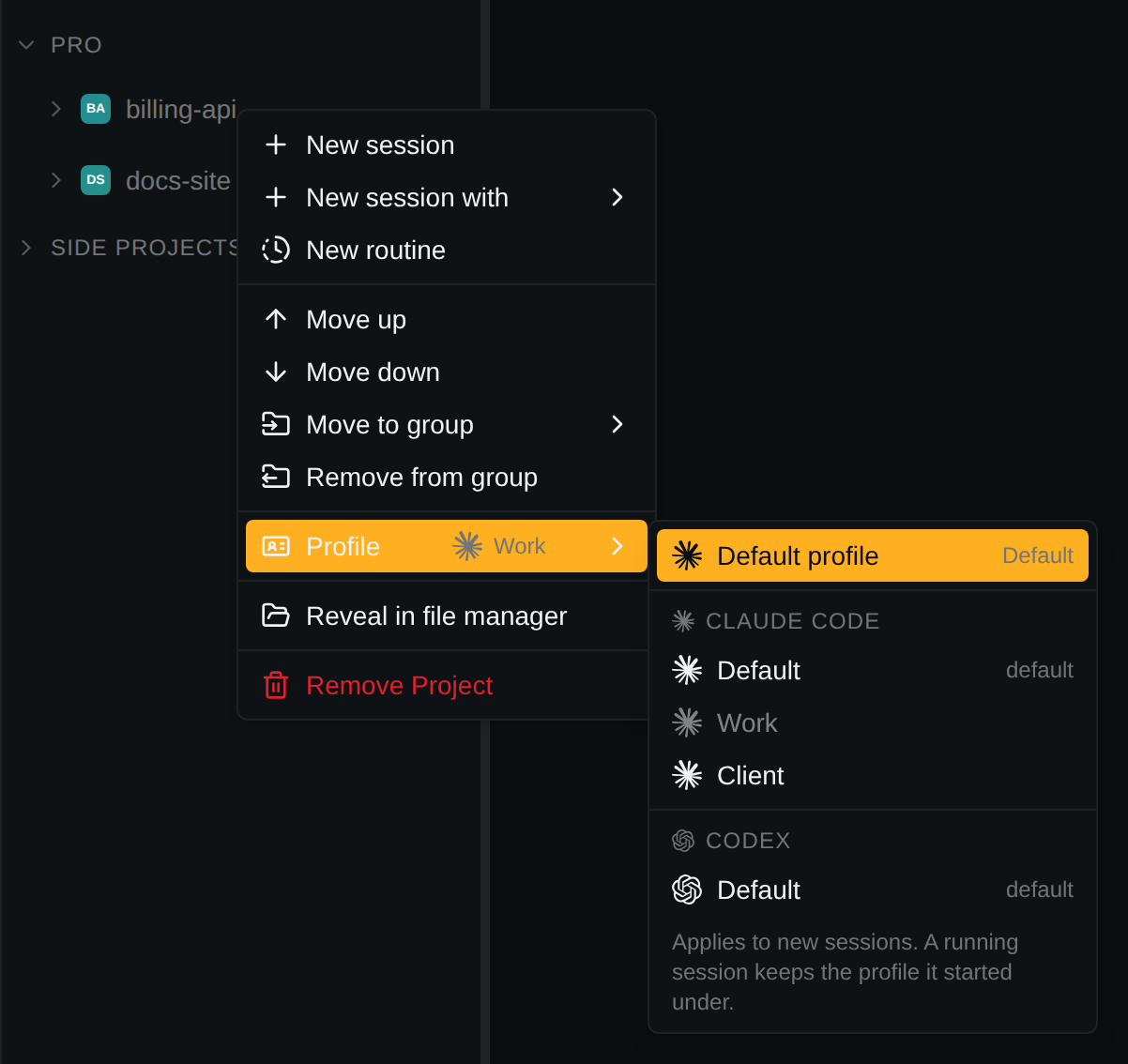
- New sessions and footer shells use the project's profile, or the starred default. Assign one from the project's right-click Profile submenu (with two or more profiles), or from the chevron on a profile's row in Settings. The profile also decides the agent.
- A session under a non-default profile shows its name in the header.
- A resumed session keeps the profile it started with.
- A running session cannot change profile; changes apply to new sessions.