Keyboard shortcuts
Mod is Command on macOS and Control on Linux and in a WSL window.
| Shortcut | Action |
|---|---|
Mod + N | New session in the active project |
Mod + K | Focus the sidebar search, from anywhere |
Mod + F | Find in the focused viewer; focus the sidebar search anywhere else |
Mod + Shift + E | Toggle the file panel |
Mod + W | Close the focused tab: the session, or the file while the viewer has focus |
Mod + PageDown | Next tab |
Mod + PageUp | Previous tab |
Mod + 1 … Mod + 8 | Session tab at that position |
Mod + 9 | Last session tab |
Mod + , | Open settings |
Mod + Q | Quit factorai |
On macOS, Quit is the app menu's Cmd+Q and is not listed in Settings.
Rebinding
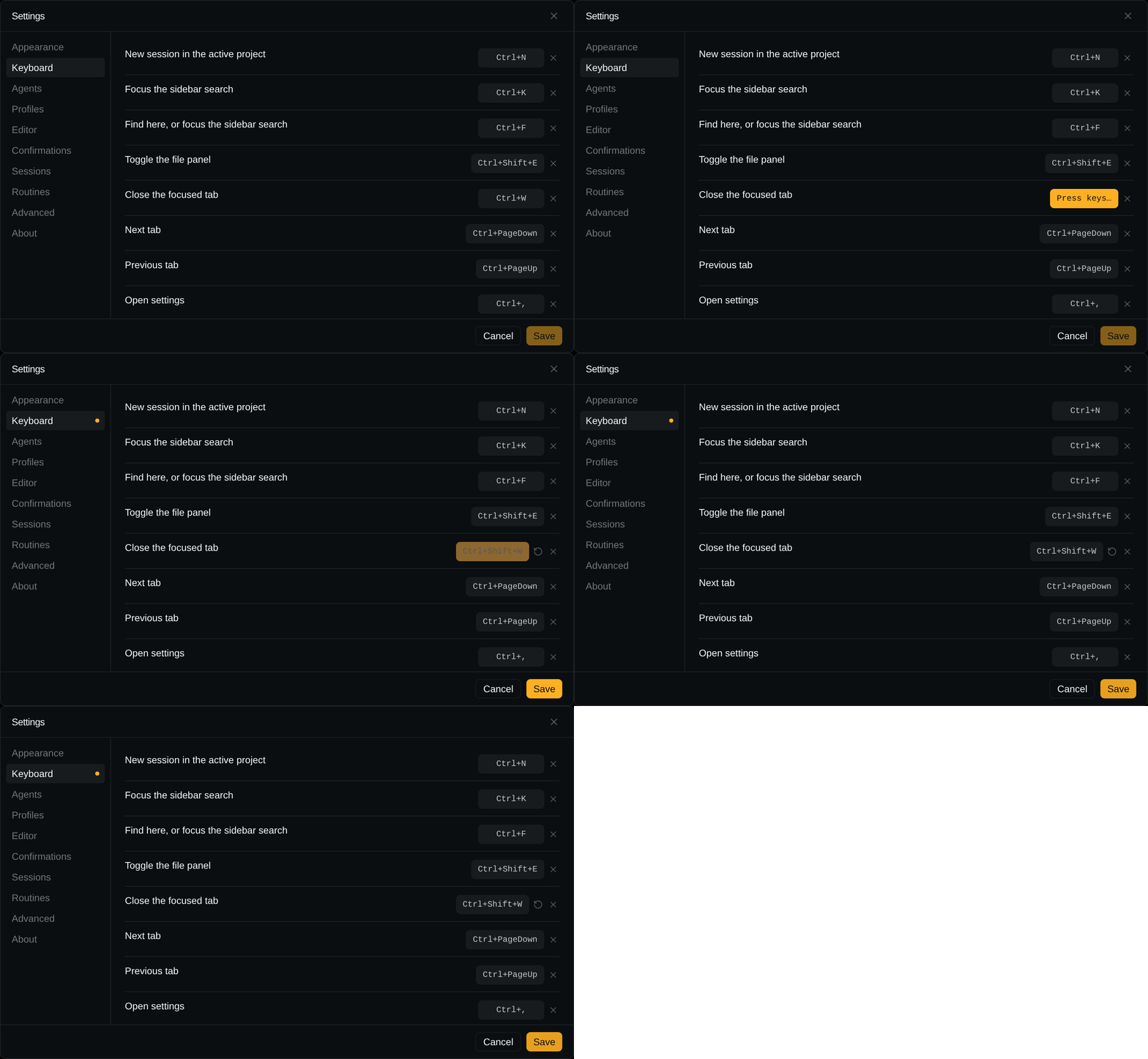
In Settings → Keyboard, click a chord and press the new one (Escape cancels, Backspace
clears).
- Taking a chord another row holds leaves that row unbound.
- Switch to tab 1–9 is one row for all nine digits: press any digit with the modifier you want
(
Alt+3givesAlt+1–9). On macOS, Option alone is refused because Option+digit types characters on many layouts; use it with⌘or⌃. It is never split: a chord that would take one of its digits, or a modifier where another row holds a digit, is refused and the row says which one is in the way. ×unbinds, the reset arrow restores one row, Reset all restores every row.- Nothing is written until you press Save.
- Your changes survive updates; defaults you have not overridden follow the app.
When the terminal has focus
Every shortcut except Mod+F still fires; the terminal never sees it. On Linux, Mod+W takes
readline's Ctrl+W; rebind the row to get it back. Mod+F in a terminal or text field stays the
field's.
Quitting
Quitting while an agent is working always asks first; there is no switch for it. Quitting then kills every child process.