Files
The right-hand panel has three tabs: Files, Changes and Graph. Toggle it with
Mod+Shift+E or the panel button at the right of the top bar. It resizes between 256 and 600px.
The tree
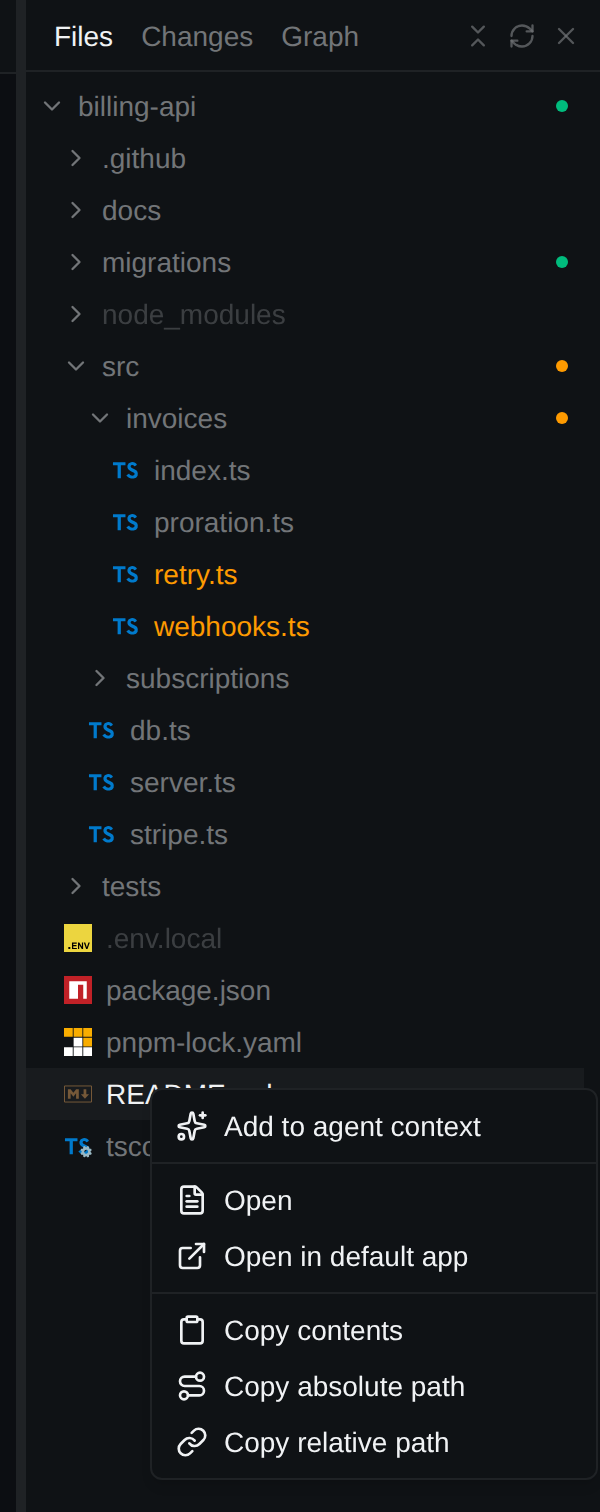
Project files with git decorations: changed files coloured, folders with changes dotted, ignored files dimmed. With a session open, right-click a file for Add to agent context.
The viewer
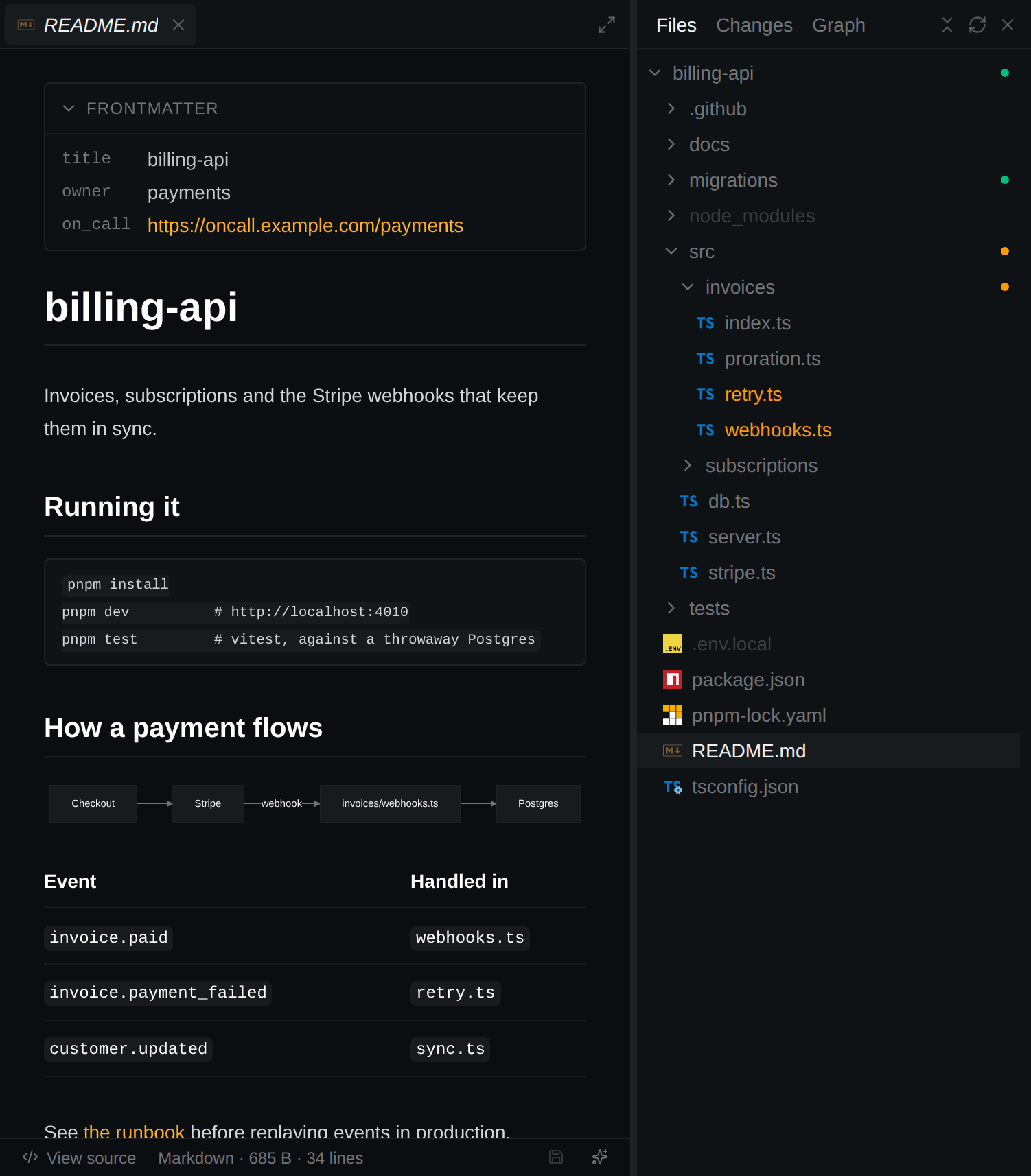
- Files open in a Monaco editor.
- Markdown opens rendered (relative links and images, frontmatter panel, Mermaid). View source / Preview in the footer switch; SVG has the same toggle.
- Images, PDFs, audio and video display.
- Several files open as tabs;
Mod+Wcloses one while the viewer has focus. - With a session open, the footer has Add file to agent context, or Add lines N–M to agent context for a selection.
Editing
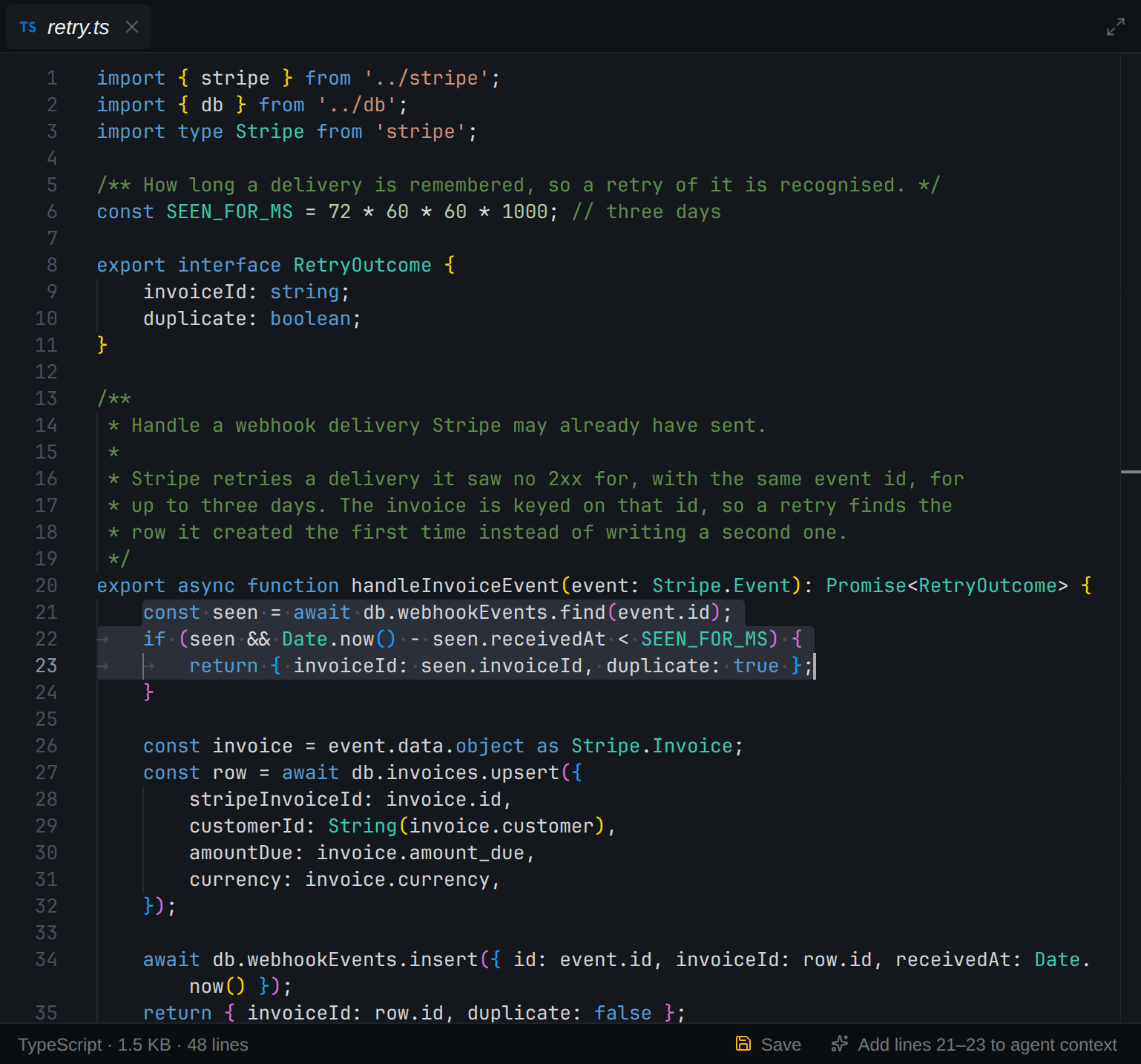
- Text files are editable; Save in the footer or
Mod+S. Unsaved drafts are kept and marked on the tab. - If the file changes on disk, the viewer says Changed on disk: Reload, Show diff, or keep your draft (saving then asks before overwriting).
- Read-only: binary, truncated and invalid-UTF-8 files, and the agent's plan files; the footer says why. Large files offer Show anyway.
Encrypted files
SOPS files open encrypted and read-only.
- Decrypt shows the plaintext using your
sopsand keys (disabled, with the reason, ifsopsis unusable). - A file encrypted with AWS KMS gets an AWS profile picker beside Decrypt. It starts on the profile for the key's account and remembers your choice per file; no other file shows it.
- Encrypt & save re-encrypts with the file's recipients; Re-lock discards the plaintext.
- Plaintext never touches disk, the search index or the database. Add to agent context is not offered.