Graph
The Graph tab shows commits newest first, with branches, tags and authors, and Load more at the foot.
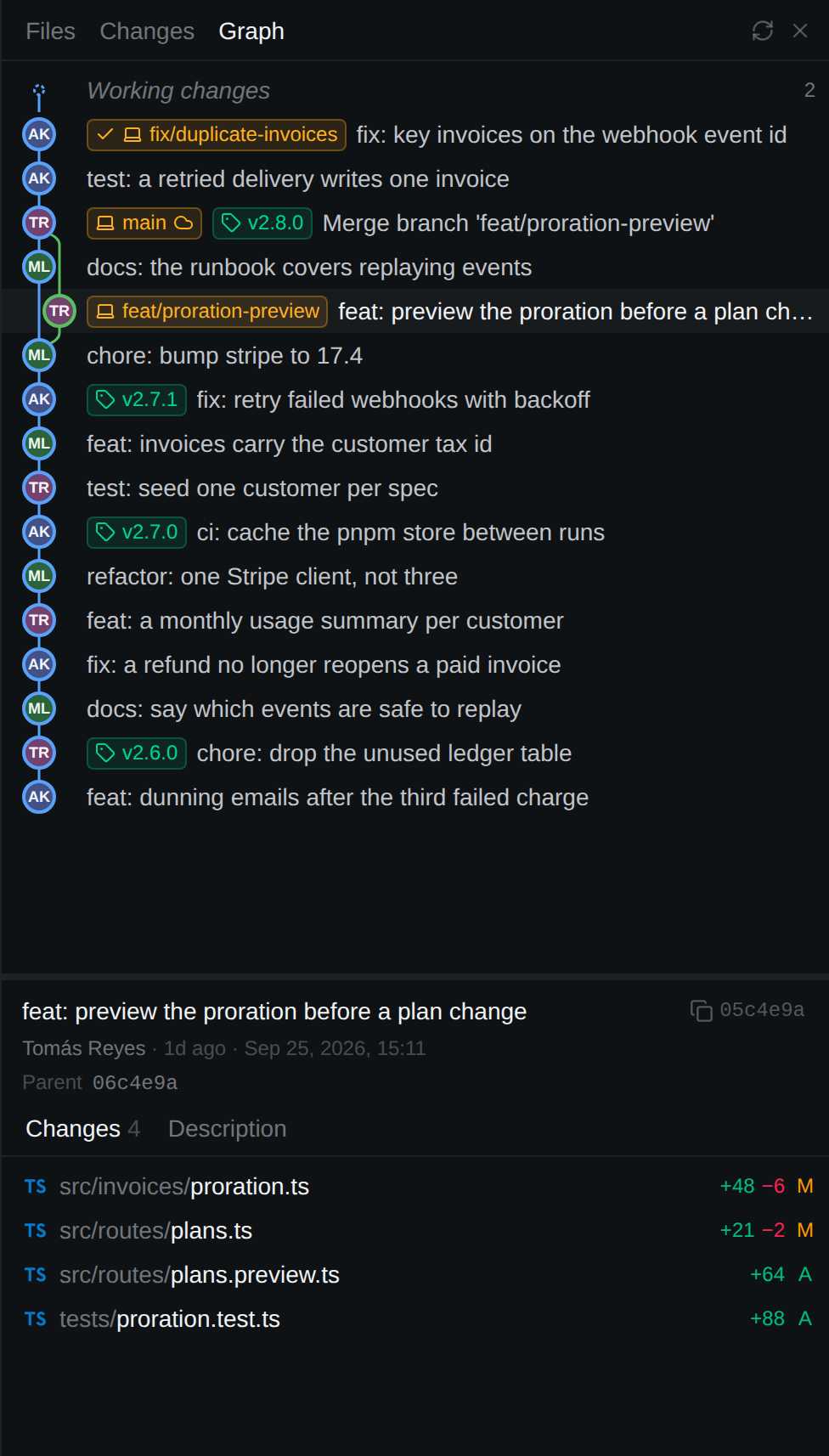
- A Working changes row above
HEADcounts uncommitted work; click it for the Changes tab. - Select a commit for author, date, parents, message and changed files (each opens a diff). Click the hash to copy it.
- The graph covers every branch and tag, so a worktree's branch is there too. The Working changes row follows the session's checkout.
The graph is read-only: no commit, rebase, merge, push or fetch.