Troubleshooting
For first-launch warnings, see Installation.
claude not found
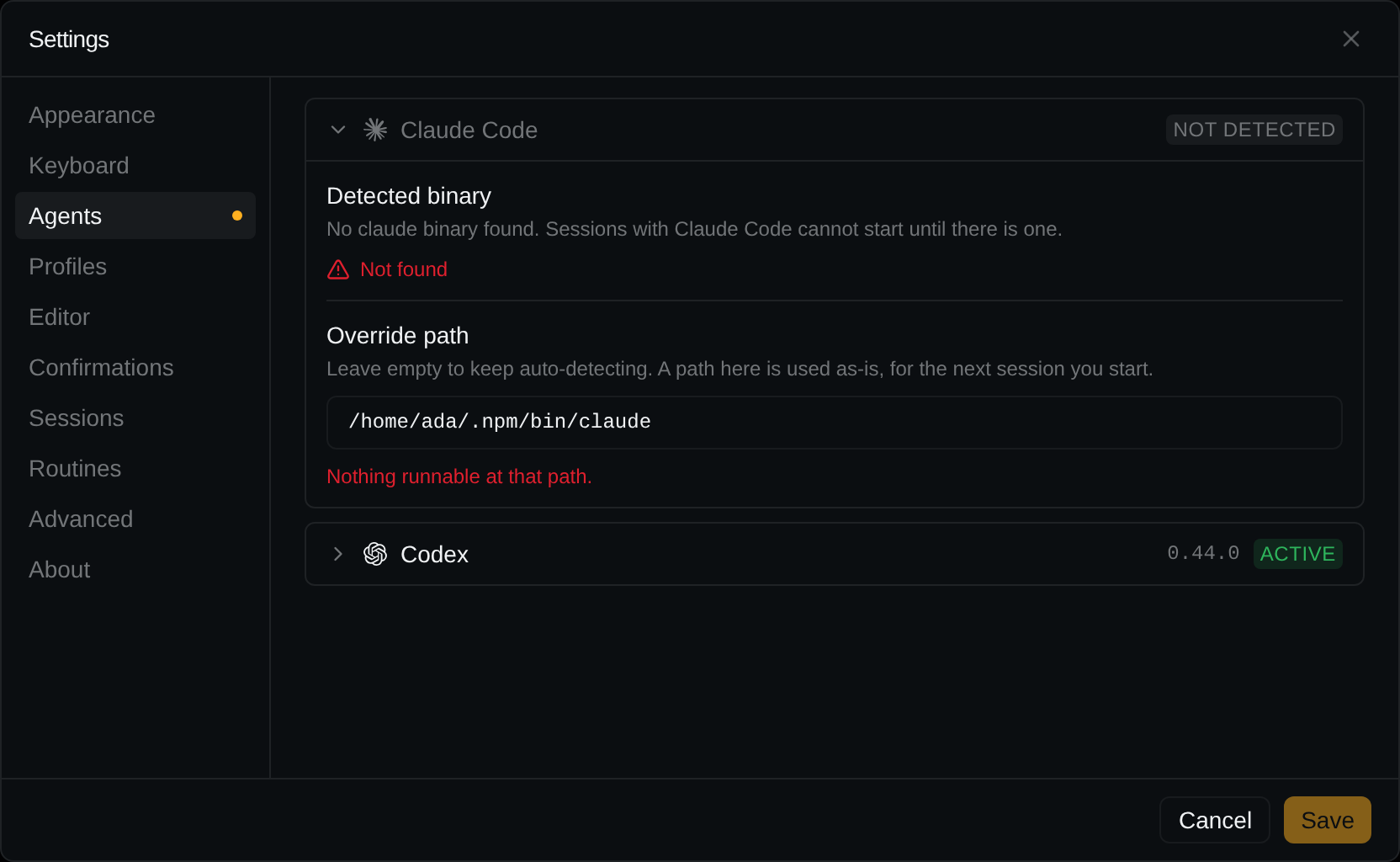
Settings → Agents shows NOT DETECTED, and a new session prints a red line beginning
Could not start the session: (for example NotFound: claude CLI not found).
Same for codex.
factorai checks its own PATH, your login shell, then ~/.local/bin, ~/.claude/local, mise and asdf shims, npm and pnpm global directories, nvm,
Homebrew and /usr/local/bin.
To fix:
- Run
command -v claude(orcommand -v codex) in a terminal. - In Settings → Agents, expand the card and paste the path into Override path. Leaving the field checks it: Nothing runnable at that path means it is wrong.
- Press Save. New sessions use it.
A hook, MCP server or statusline command can't find a tool. factorai reads your login shell's
PATH once at startup. After changing shell startup files, quit and relaunch factorai.
Programs fail inside a session, but work in your own terminal (Linux AppImage)
python3exits withModuleNotFoundError: No module named 'encodings'.- Another GTK or WebKit program (e.g.
pnpm devon a Tauri app) dies with Failed to spawn child process … WebKitNetworkProcess.
Check inside a session:
env | grep -c .mount_
Anything but 0 means a build before v0.18.1: update.
Sessions you expected are missing
- You added the parent folder. Add the folder the agent ran in; see First run.
- The folder is under
/mnt/c(WSL). Move it inside the Linux distribution.
Linux
GLIBC_… not found: your distribution is too old; see Installation.Ctrl+W,Ctrl+PageUpandCtrl+PageDowngo to the app, not the terminal. Rebind them in Settings → Keyboard; see Keyboard shortcuts.- The renderer crashed: factorai reloads it and says so. Sessions keep running.
macOS permission prompts
- App Management: "factorai was prevented from modifying apps on your Mac". From v0.52.0 the app and its updates are signed by the same Apple team, so macOS stops asking. It can ask once more when updating into v0.52.0 from an older build: allow it in System Settings → Privacy & Security → App Management.
- Everything asks again on v0.52.0. That release changed the signing identity, which macOS ties every grant to. Allow each prompt once; later releases keep them.
- Folder access, when something factorai runs first touches a protected folder such as Documents or Desktop. Prompts after every release mean v0.32.0 or earlier: update.